AWS Lambda Support
Run the same Ginboot controllers as an HTTP server or an AWS Lambda function behind API Gateway, with no code changes.
One of Ginboot's most powerful features is its seamless ability to switch between a traditional HTTP server and an AWS Lambda execution environment without modifying your controllers or business logic.
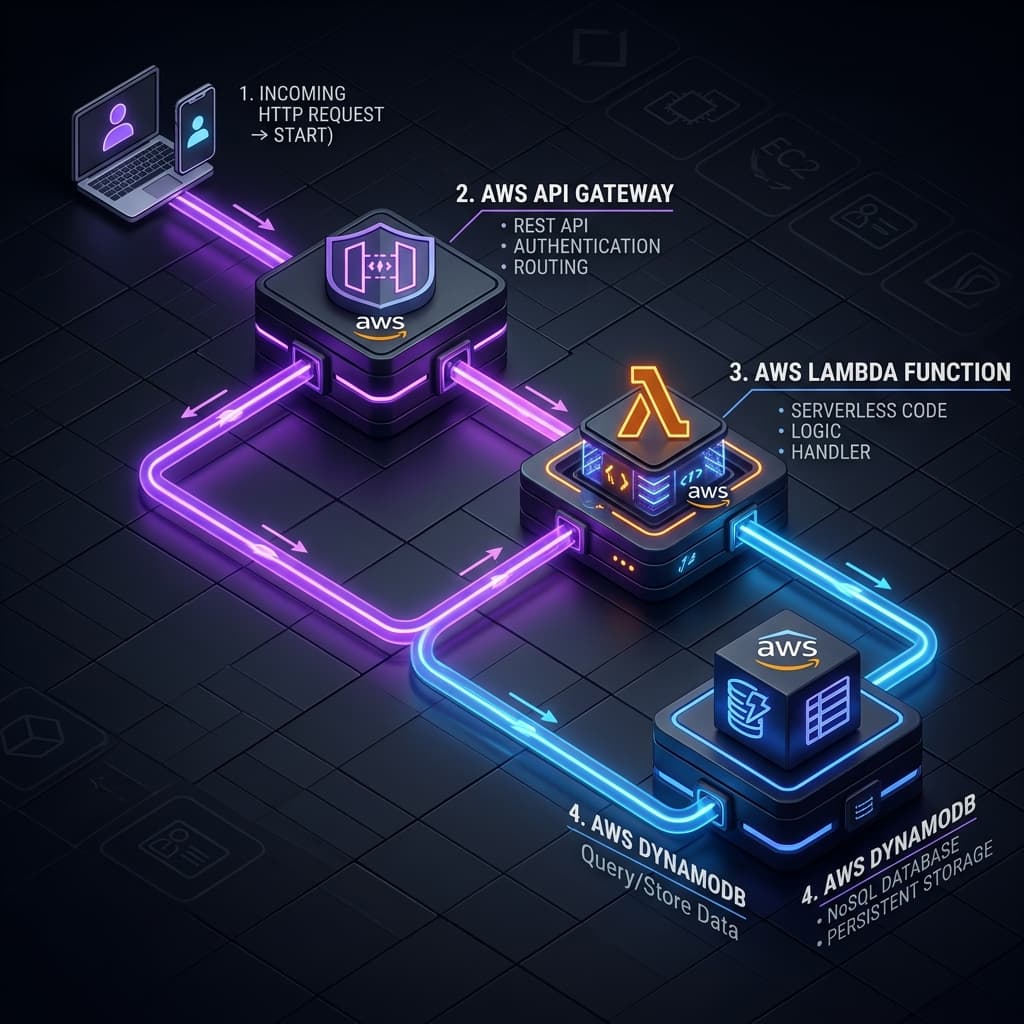
How It Works
Ginboot automatically detects the AWS Lambda runtime environment variables. If present, it wraps the Gin Engine with the aws-lambda-go-api-proxy adapter.
package main

import (
	"log"
	"os"
	"github.com/klass-lk/ginboot"
	lambdarunner "github.com/klass-lk/ginboot/runtime/lambda"
)

func main() {
	app := ginboot.New()

	// Setup your routes and dependencies...
	app.SetBasePath("/api")

	// Detect if running inside AWS Lambda
	if os.Getenv("LAMBDA_TASK_ROOT") != "" || os.Getenv("AWS_EXECUTION_ENV") != "" {
		log.Println("Detected AWS Lambda environment...")
		// Optionally attach the Ginboot Scheduler for cron events
		app.SetRunner(lambdarunner.NewRunnerWithScheduler(app.Scheduler()))
	}

	// In Lambda, this will block and handle API Gateway proxy events.
	// Locally, this will start a normal HTTP server on port 8080.
	if err := app.Start(8080); err != nil {
		log.Fatalf("Failed to start: %v", err)
	}
}
Telemetry on Lambda
If you use telemetry, the Lambda runner takes care of one problem that is specific to this runtime, and you do not have to configure anything for it.
Telemetry is batched rather than exported as it is produced, so that no request waits on a network round trip. On a server the batch leaves a moment later and nobody notices. On Lambda nobody is running a moment later: the execution environment is frozen the instant your handler returns, and a frozen process exports nothing. The freeze does not pause the export's clock either — a suspended request still has a wall-clock deadline, so by the time the environment thaws the deadline has passed and the export fails with context deadline exceeded. A handler that returns in a few milliseconds never wins that race and loses all of its telemetry, not some of it.
So the runner registers itself as a Lambda internal extension and drains telemetry in the window Lambda leaves open between your response going out and the environment freezing.
This does not slow your responses
Lambda returns the response to the caller as soon as your handler produces it, whether or not extensions are still running. The drain happens after that.
It does extend the invocation, and billed duration covers the runtime plus its extensions. On a handler that runs for 2ms, a 200ms drain is 200ms of billed time. Watch the PostRuntimeExtensionsDuration CloudWatch metric for the real figure, and prefer a collector in the same region as your function — it is the same round trip either way, so a shorter one costs less.
Bound the drain with GINBOOT_TELEMETRY_FLUSH_TIMEOUT (default 2s; accepts a duration such as 500ms, or a bare number read as milliseconds):
GINBOOT_TELEMETRY_FLUSH_TIMEOUT=500msNone of this applies to an HTTP server, which is never frozen and whose exporters run continuously in the background. The machinery lives entirely in the runtime/lambda module and does nothing unless AWS_LAMBDA_RUNTIME_API is present, so an application serving HTTP never pays for it — and one with no telemetry compiled in does not register an extension at all, since holding the environment open to drain nothing would be billed time for no telemetry.
If registration fails, the function still serves. You get a log line and best-effort exports, which is exactly the behaviour of a runner without an extension.
AWS SAM Configuration
To deploy your Ginboot application using AWS Serverless Application Model (SAM), you simply need a template.yaml.
AWSTemplateFormatVersion: '2010-09-09'
Transform: AWS::Serverless-2016-10-31
Description: Ginboot Serverless Application

Globals:
  Function:
    Timeout: 30
    MemorySize: 256
    Runtime: provided.al2
    Architectures:
      - arm64

Resources:
  GinbootAPI:
    Type: AWS::Serverless::Function
    Properties:
      CodeUri: bin/
      Handler: bootstrap # Go binaries in provided.al2 must be named bootstrap
      Environment:
        Variables:
          GIN_MODE: release
      Events:
        CatchAll:
          Type: Api
          Properties:
            Path: /{proxy+}
            Method: ANY
To build and deploy:
# Build the binary for AL2 ARM64
GOOS=linux GOARCH=arm64 go build -o bin/bootstrap main.go

# Deploy using SAM
sam deploy --guided
This single-binary deployment makes Ginboot extremely cost-effective, leveraging Go's incredibly fast cold-start times on AWS Lambda.
Inter-Service Communication
Call other services by logical name with ctx.CallService, with automatic resolution, trace propagation and async fire-and-forget support.
Telemetry & Observability
Ship traces, metrics and trace-correlated logs to Grafana, Jaeger or any OTLP backend with a single import and no setup code.